

Cookie Consent for React
Cookiezy is designed for React teams that need a lightweight consent layer, clean state handling, and a user experience that works inside SPA-style applications. The React rollout uses the same plain-headless adapter files shipped in `cookiezy-platform-core.zip`, loads them from the app shell, and expects the live hostname to be registered for full runtime mode.
Built for React applications where frontend quality and performance both matter.
Cookie banner preview
Lightweight. Fast. Clear by default.
Cookie consent. Done easy.
Lightweight consent that keeps your site fast and your data intact.
What the React package includes
After account access is active you download `cookiezy-platform-core.zip`. For React you use the plain adapter from `packages/adapters/plain-html/` and the shared core assets from `packages/core/dist/`. The canonical adapter entry file is `cookiezy-plain-adapter.js`.
- • `packages/adapters/plain-html/cookiezy-plain-adapter.js`
- • `packages/core/dist/cookie-consent.js`
- • `packages/core/dist/cookie-consent-ui.js`
- • `packages/core/dist/cookie-consent-scanner.js`
- • `packages/core/dist/cookie-consent.css`
- • `packages/adapters/plain-html/example.html` as the baseline integration reference
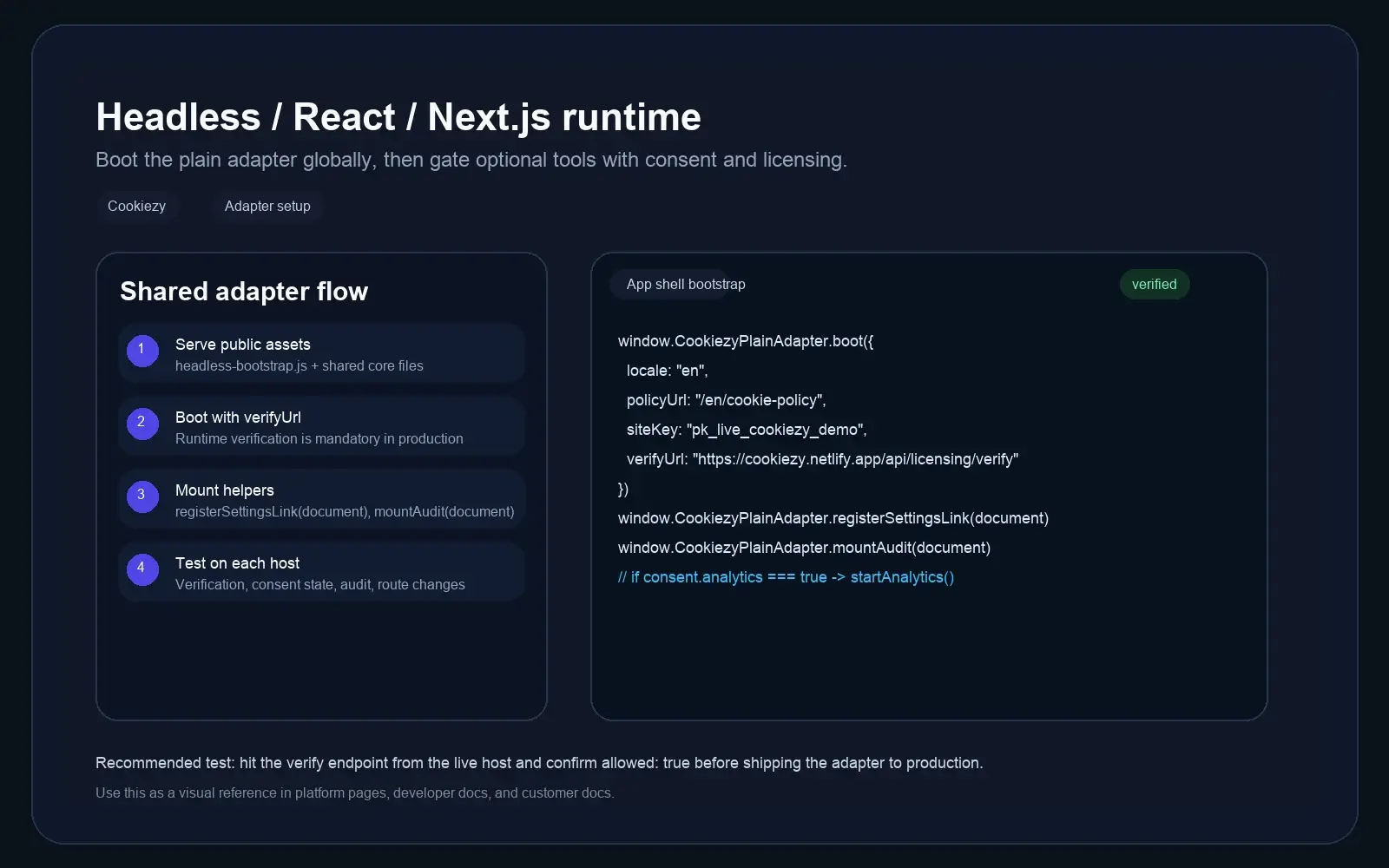
Copy the canonical adapter files into your React public assets
Extract `cookiezy-platform-core.zip` and copy `cookiezy-plain-adapter.js` plus the shared core files into `public/` or another asset path your React app can serve globally.
Code snippet
public/cookiezy-plain-adapter.js
public/cookie-consent.js
public/cookie-consent-ui.js
public/cookie-consent-scanner.js
public/cookie-consent.cssBoot Cookiezy from the React app shell
Load the assets once from your root HTML shell or top-level React layout. Boot the plain adapter before the UI and scanner scripts so the consent runtime is configured for the whole SPA. In production, keep the issued `license.siteKey`, `license.verifyUrl`, and `license.billingUrl` values in the runtime config.
Code snippet
<link rel="stylesheet" href="/cookie-consent.css" />
<script src="/cookiezy-plain-adapter.js"></script>
<script src="/cookie-consent.js"></script>
<script>
  window.CookiezyPlainAdapter.boot({
    locale: "en",
    storageKey: "cookiezy_react_v1",
    policyUrl: "/en/cookie-policy",
    theme: { layout: "bottom-right", themeClass: "" },
    license: {
      siteKey: "ck_live_replace_me",
      verifyUrl: "https://cookiezy.com/api/licensing/verify",
      billingUrl: "https://cookiezy.com/en/billing"
    },
    texts: {}
  });
</script>
<script src="/cookie-consent-ui.js"></script>
<script src="/cookie-consent-scanner.js"></script>Register the hostname, settings link, and gate optional services in React
Register every live hostname in Cookiezy billing before production publish so runtime verification can allow full mode. After Cookiezy loads, register the settings link and use the consent state to decide when analytics or marketing tools should start inside your React app.
Code snippet
window.CookiezyPlainAdapter.registerSettingsLink(document);

const consent = window.Cookiezy?.getConsent();
if (consent?.analytics) {
  startAnalytics();
}
if (window.location.pathname === '/en/cookie-policy') {
  window.CookiezyPlainAdapter.mountAudit(document);
}Give React visitors a transparent cookie audit
The Cookiezy scanner reads the cookies visible in the current browser session and presents their category, provider, purpose or description, and duration. Add the audit mount to the policy route so visitors can re-scan after changing consent and confirm what remains active.
Live cookie scan for this browser session
This audit reads the cookies currently visible on the domain in your browser and maps known cookies to categories and purposes. Re-scan after changing consent to verify what stays active.
How Cookiezy handles cookies on this site
Necessary cookies stay active so the site, login flow, and consent preferences keep working. Optional categories can be enabled or disabled by the visitor through Cookiezy settings.
This scan reflects the current browser session and the current state of consent on this device.
Cookie categories used on the site
Necessary
Required for security, routing, authentication, and storing the consent choice itself.
Analytics
Used to understand traffic and site usage when the visitor has granted analytics consent.
Marketing
Reserved for advertising, retargeting, and campaign tracking when marketing consent is granted.
React-friendly consent features
Built for apps that care about clean integration rather than plugin-style complexity.
SPA-safe behavior
A better fit for React applications where route changes happen client-side.
Simple consent state
Keep category choices readable and easier to integrate into your app logic.
Audit-ready policy page
Use the adapter helpers to register the settings link and mount the policy page audit.
Consent-aware analytics
Gate optional scripts and integrations based on the user's explicit consent.
React cookie consent FAQ
Quick answers for React teams evaluating Cookiezy.
Which ZIP should I use for React?
Use `cookiezy-platform-core.zip` and integrate the plain adapter from `packages/adapters/plain-html/` with the shared core files from `packages/core/dist/`.
Should I load Cookiezy once at the root of the app?
Yes. The intended React pattern is to load the scripts once from the app shell so the consent layer survives client-side navigation.
Can I use Cookiezy consent state in my React logic?
Yes. The packaged runtime exposes consent state so optional analytics and marketing code can wait until the user opts in.
How do I show the audit on the policy page?
Call `window.CookiezyPlainAdapter.mountAudit(document)` on the policy route after the scanner script is loaded.
What happens if the hostname is not registered or the account is restricted?
The React runtime should fall back to necessary-only restricted mode. Optional analytics, marketing, and premium runtime behavior remain blocked until billing and hostname verification are in good standing.