

CookiezyCookiezy
ProductPlatformsDocsPricingBlogContact
  1. Home/
  2. Docs/
  3. Getting Started

Documentation last updated May 29, 2026

Docs navigation

Overview

DocsDeveloper-first documentation for installing, configuring, and verifying Cookiezy across every supported adapter.Getting StartedCheck readiness, generate the right package, then ship the core flow.InstallationInstallation follows the same core pattern everywhere: generate the issued package, register the hostname, install the adapter, and validate runtime verification before launch.ConfigConfiguration keeps locale, policy, categories, layout, and licensing context in sync.

Reference

APIDeveloper-facing runtime methods, browser events, and verification-aware integration notes.

Adapters

Webflow Adapter SetupTechnical Webflow setup guide for Cookiezy: what you receive after purchase, where each file goes, and how to validate the runtime on a published Webflow site.Shopify Adapter SetupTechnical Shopify setup guide for Cookiezy: download Platform Core, deploy the theme app extension, expose the Theme Editor fields, and validate storefront consent behavior before publish.Wix Adapter SetupTechnical Wix setup guide for Cookiezy: install the private or unlisted Wix app, connect the correct Cookiezy account, publish the app-hosted runtime, and keep custom code only as a fallback.Hugo Adapter SetupTechnical Hugo setup guide for Cookiezy: generate the dedicated Hugo package, copy the issued config scaffold, align locale routes, and validate banner plus cookie audit behavior.Headless Adapter SetupTechnical headless setup guide for Cookiezy: boot the plain adapter, wire runtime verification, and validate the audit, settings, and restricted-mode recovery flow in custom frontends.WordPress Adapter SetupTechnical WordPress setup guide for Cookiezy: upload the plugin ZIP, configure licensing-aware settings, and validate shortcode-based settings and audit behavior.React Adapter SetupTechnical React setup guide for Cookiezy: load the plain adapter from the app shell, gate optional services with consent state, and validate SPA behavior.Next.js Adapter SetupTechnical Next.js setup guide for Cookiezy: load the plain adapter from the root layout, keep policy routing localized, and validate consent gating across App Router pages.Strapi Adapter SetupTechnical Strapi setup guide for Cookiezy: keep the runtime on the frontend, use Strapi as a configuration bridge, and map locale-aware policy URLs through the shared core model.DatoCMS Adapter SetupTechnical DatoCMS setup guide for Cookiezy: keep the visitor-facing runtime in the frontend app, use Platform Core for runtime assets, and use the standalone DatoCMS plugin only for editor-side configuration and generated frontend config preview.
Adapter versioningPlatform Core Package

Platform Core release status

Current package version and rollout notes for the shared core that still powers multiple adapter lanes.

Current version

0.1.23

Delivery lane

Issued ZIP

Compatibility notes

Platform Core remains the shared rollout baseline, but Wix is no longer bundled here and now uses the dedicated Wix app lane.

Key rollout changes

1. Use Platform Core for Webflow, Shopify, headless, React, Next.js, and the frontend runtime behind Strapi or DatoCMS.

2. Generate the issued ZIP only after billing, site key, and hostname readiness are all aligned.

3. Treat Wix as a separate app-first path and not as a Platform Core install flow.

Getting started

Check readiness, generate the package, then test the live flow.

This is the shared rollout path for every adapter after purchase, including readiness checks, hostname registration, and restricted-mode recovery if billing is not active.

  • • Choose the correct package from customer downloads and confirm it is ready to generate.
  • • Register every live hostname in billing before publish.
  • • Install the adapter with the matching Developer guide.
  • • Review the issued package and confirm the embedded site key, verification URL, and billing portal URL match the account before launch.
  • • For Hugo or other config-based adapters, copy issued values exactly and avoid adding extra escaped quotes around `siteKey`, `verifyUrl`, or `billingUrl`.
  • • Check page source and confirm `window.CookiezyConfig` shows real values, not empty strings and not values like `'"https://..."'`.
  • • Test first visit, reject optional, accept all, settings reopen, audit page, runtime verification, and restricted-mode recovery.

Code snippet

1. Open customer downloads and confirm the package is ready to generate.
2. If billing or the account site key is missing, resolve that in billing first.
3. Generate the correct issued ZIP.
4. Register the production hostname in billing.
5. Follow the adapter-specific Developer docs page.
6. Set locale and policy URL, then verify the embedded siteKey, verifyUrl, and billingUrl from the issued package.
7. If the adapter uses config files, copy the issued values exactly and avoid extra escaped quotes.
8. Confirm /api/licensing/verify returns allowed: true and only publish after the live hostname passes all checks.
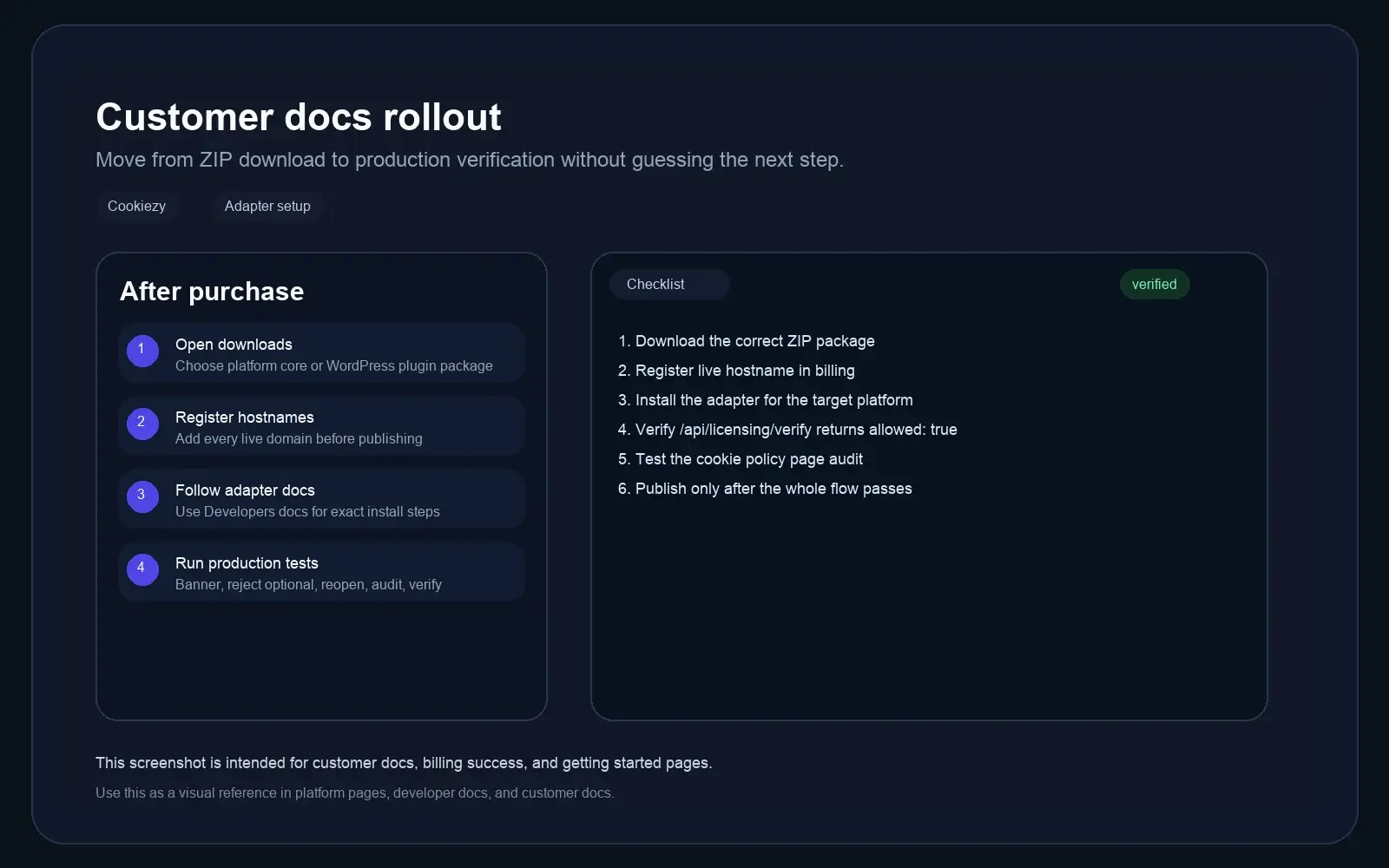
Cookiezy getting started screenshot showing the shared post-purchase rollout from downloads to billing and adapter setup.
Shared rollout reference: downloads, domain registration, adapter install, and live verification.
Adapter map

Choose the correct guide for your platform

Use the guide that matches the package and runtime you are actually deploying.

  • • Webflow: Open Webflow guide
  • • Shopify: Open Shopify guide
  • • Wix: Open Wix guide
  • • Hugo: Open Hugo guide
  • • WordPress: Open WordPress guide
  • • Headless: Open Headless guide
  • • React: Open React guide
  • • Next.js: Open Next.js guide
  • • Strapi: Open Strapi guide
  • • DatoCMS: Open DatoCMS guide
Cookiezy

Lightweight consent platform for modern websites.

Product

FeaturesPlatformsPricingDocsBlogContact

Legal

Cookie PolicyPrivacy PolicyTerms

Language

English
EnglishenSlovenščinaslHrvatskihrItalianoit

Privacy controls

© 2026 Cookiezy. All rights reserved.