

Cookie Consent for Webflow
Deploy Cookiezy on Webflow with the actual adapter files shipped in the package. The Webflow flow uses the canonical `cookiezy-webflow-adapter.js` script in the head, a loader in the footer, shared core assets, and an optional policy page embed for the cookie audit.
Built for Webflow teams that want compliance, speed, and cleaner implementation.
Cookie banner preview
Lightweight. Fast. Clear by default.
Cookie consent. Done easy.
Lightweight consent that keeps your site fast and your data intact.
What you receive in the Webflow ZIP
After account access is active you download `cookiezy-platform-core.zip`. For Webflow you use the adapter files from `packages/adapters/webflow/` plus the shared core files from `packages/core/dist/`. The canonical head entry file is `cookiezy-webflow-adapter.js`; `webflow-bootstrap.js` remains only as a deprecated compatibility wrapper.
- • `packages/adapters/webflow/assets/cookiezy-webflow-adapter.js`
- • `packages/adapters/webflow/assets/webflow-loader.js`
- • `packages/core/dist/cookie-consent.js`
- • `packages/core/dist/cookie-consent-ui.js`
- • `packages/core/dist/cookie-consent-scanner.js`
- • `packages/core/dist/cookie-consent.css`
- • `packages/adapters/webflow/embeds/global-head-snippet.html`
- • `packages/adapters/webflow/embeds/global-footer-snippet.html`
- • `packages/adapters/webflow/embeds/policy-page-embed.html`
Upload the Webflow adapter and shared core assets
Extract `cookiezy-platform-core.zip` and upload the Webflow assets plus the shared core files to a public asset host that you control. Keep the file names intact because the Webflow adapter config points to these exact URLs. The placeholder below is not a Cookiezy CDN; replace `__COOKIEZY_ASSET_BASE_URL__` with your real hosted asset root.
- • Upload `cookiezy-webflow-adapter.js` and `webflow-loader.js` from `packages/adapters/webflow/assets/`
- • Upload `cookie-consent.js`, `cookie-consent-ui.js`, `cookie-consent-scanner.js`, and `cookie-consent.css` from `packages/core/dist/`
- • Copy the public URLs because you will paste them into Webflow project settings
Code snippet
__COOKIEZY_ASSET_BASE_URL__/webflow/cookiezy-webflow-adapter.js
__COOKIEZY_ASSET_BASE_URL__/webflow/webflow-loader.js
__COOKIEZY_ASSET_BASE_URL__/webflow/cookie-consent.js
__COOKIEZY_ASSET_BASE_URL__/webflow/cookie-consent-ui.js
__COOKIEZY_ASSET_BASE_URL__/webflow/cookie-consent-scanner.js
__COOKIEZY_ASSET_BASE_URL__/webflow/cookie-consent.cssPaste the real head and footer snippets into Webflow custom code
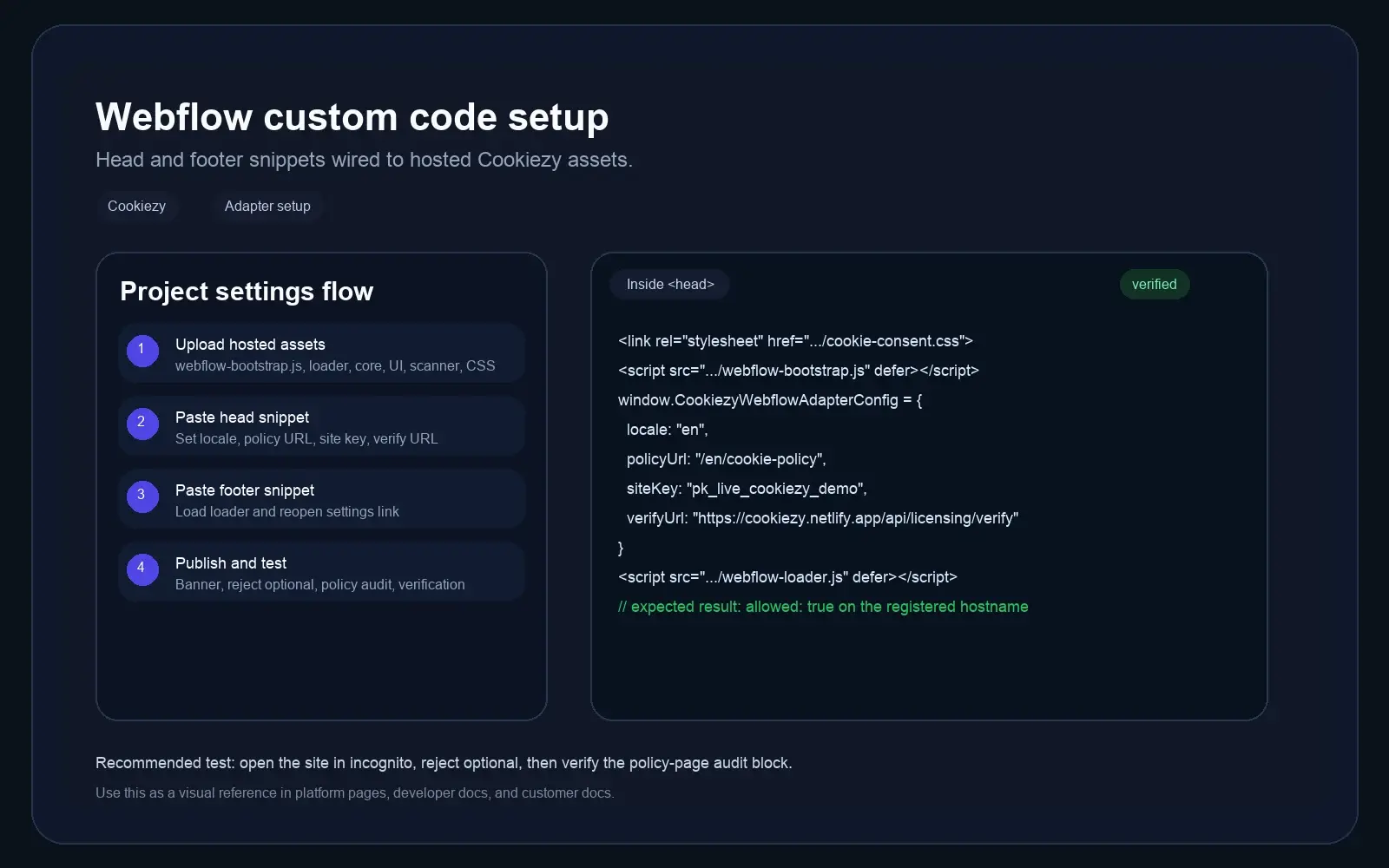
Open Webflow project settings. Put the head snippet from `packages/adapters/webflow/embeds/global-head-snippet.html` into `Inside <head>` and the footer snippet from `global-footer-snippet.html` into `Before </body>`. Replace `__COOKIEZY_ASSET_BASE_URL__` with your own hosted files. The generated package should also carry the account-linked `siteKey`, verification URL, and billing URL values used by runtime verification.
Code snippet
<link rel="stylesheet" href="__COOKIEZY_ASSET_BASE_URL__/webflow/cookie-consent.css">
<script src="__COOKIEZY_ASSET_BASE_URL__/webflow/cookiezy-webflow-adapter.js" defer></script>
<script>
  window.CookiezyWebflowAdapterConfig = {
    locale: "en",
    storageKey: "webflow_cookie_consent_v1",
    policyUrl: "/en/cookie-policy",
    theme: {
      layout: "bottom-right",
      themeClass: ""
    },
    license: {
      siteKey: "ck_live_replace_me",
      verifyUrl: "https://cookiezy.com/api/licensing/verify",
      billingUrl: "https://cookiezy.com/en/billing",
      adapter: "webflow",
      version: "1.0.0"
    },
    texts: {},
    webflow: {
      observeMutations: false,
      assets: {
        coreUrl: "__COOKIEZY_ASSET_BASE_URL__/webflow/cookie-consent.js",
        uiUrl: "__COOKIEZY_ASSET_BASE_URL__/webflow/cookie-consent-ui.js",
        scannerUrl: "__COOKIEZY_ASSET_BASE_URL__/webflow/cookie-consent-scanner.js"
      }
    }
  };
</script>
<script src="__COOKIEZY_ASSET_BASE_URL__/webflow/webflow-loader.js" defer></script>Register the live hostname, add the policy embed, and validate the full flow
Register every live Webflow hostname in Cookiezy billing before publish so runtime verification can return `allowed: true`. Then create or open your Webflow cookie policy page and paste the markup from `packages/adapters/webflow/embeds/policy-page-embed.html` into an Embed component. Publish the site and test the banner, settings reopen flow, and cookie audit in a clean browser session.
- • Publish the site and confirm the banner appears on first visit
- • Use Reject optional and verify optional tools stay blocked
- • Open `/en/cookie-policy` and confirm the audit block renders
- • Click your footer settings link and make sure the modal reopens
Add a Webflow policy-page scan without building a custom table
The Webflow package includes a policy-page embed for a live cookie audit. It scans the current browser session and shows detected cookies with category, provider, purpose or description, and duration, so the cookie policy page can reflect the real site behavior after consent changes.
Live cookie scan for this browser session
This audit reads the cookies currently visible on the domain in your browser and maps known cookies to categories and purposes. Re-scan after changing consent to verify what stays active.
How Cookiezy handles cookies on this site
Necessary cookies stay active so the site, login flow, and consent preferences keep working. Optional categories can be enabled or disabled by the visitor through Cookiezy settings.
This scan reflects the current browser session and the current state of consent on this device.
Cookie categories used on the site
Necessary
Required for security, routing, authentication, and storing the consent choice itself.
Analytics
Used to understand traffic and site usage when the visitor has granted analytics consent.
Marketing
Reserved for advertising, retargeting, and campaign tracking when marketing consent is granted.
Webflow consent features that match real production needs
Built for high-conversion Webflow sites that still need privacy controls and data quality.
Custom code friendly
Works with Webflow's head, footer, and embed areas without introducing a bloated dependency chain.
Consent-aware loading
The adapter loads shared consent, UI, and scanner assets only when the Webflow bootstrap config is in place.
Policy page support
Use the included `policy-page-embed.html` file to add a live cookie audit section to your policy page.
Multi-language ready
A strong fit for Webflow projects with locale-specific pages and folder-based routing.
Webflow cookie consent FAQ
Short answers to the questions teams ask before implementing consent on Webflow.
Which ZIP should I use for Webflow?
Use `cookiezy-platform-core.zip` and take the Webflow-specific files from `packages/adapters/webflow/` together with the shared core assets from `packages/core/dist/`.
Do I need both the head snippet and the footer snippet?
Yes. The Webflow adapter expects the canonical `cookiezy-webflow-adapter.js` configuration layer in the head and the `webflow-loader.js` script in the footer.
How do I add the cookie audit to my policy page?
Paste the contents of `packages/adapters/webflow/embeds/policy-page-embed.html` into a Webflow Embed element on your cookie policy page.
Can visitors reopen cookie settings later?
Yes. Cookiezy supports a settings re-open flow from the footer or another persistent UI entry.
What happens if the hostname is not registered or billing is inactive?
The Webflow adapter should fall back to necessary-only restricted mode. Optional analytics, marketing, premium runtime behavior, and other non-essential features stay blocked until the account returns to good standing.