

Cookie Consent for Wix
Cookiezy gives Wix teams an app-first rollout path: install the private or unlisted Wix app, link the correct Cookiezy account, confirm billing and hostname readiness, then publish the app-hosted consent runtime directly from the Wix dashboard.
A practical Wix consent setup for site owners, marketers, and implementation partners.
Cookie banner preview
Lightweight. Fast. Clear by default.
Cookie consent. Done easy.
Lightweight consent that keeps your site fast and your data intact.
How the Wix rollout works today
The primary Cookiezy path for Wix is now the private or unlisted Wix app. It handles account linking, readiness, app-hosted runtime assets, and site publishing inside Wix. Platform Core custom-code files remain available only as a fallback path for support or recovery.
- • Install the private or unlisted Wix app from the Cookiezy install link.
- • Link the Wix installation to the correct Cookiezy billing account.
- • Register the live Wix hostname before publish.
- • Use the app-hosted runtime URL from Cookiezy Settings.
- • Publish the consent runtime directly from the Wix app dashboard.
- • Keep Platform Core custom-code files only as a fallback path.
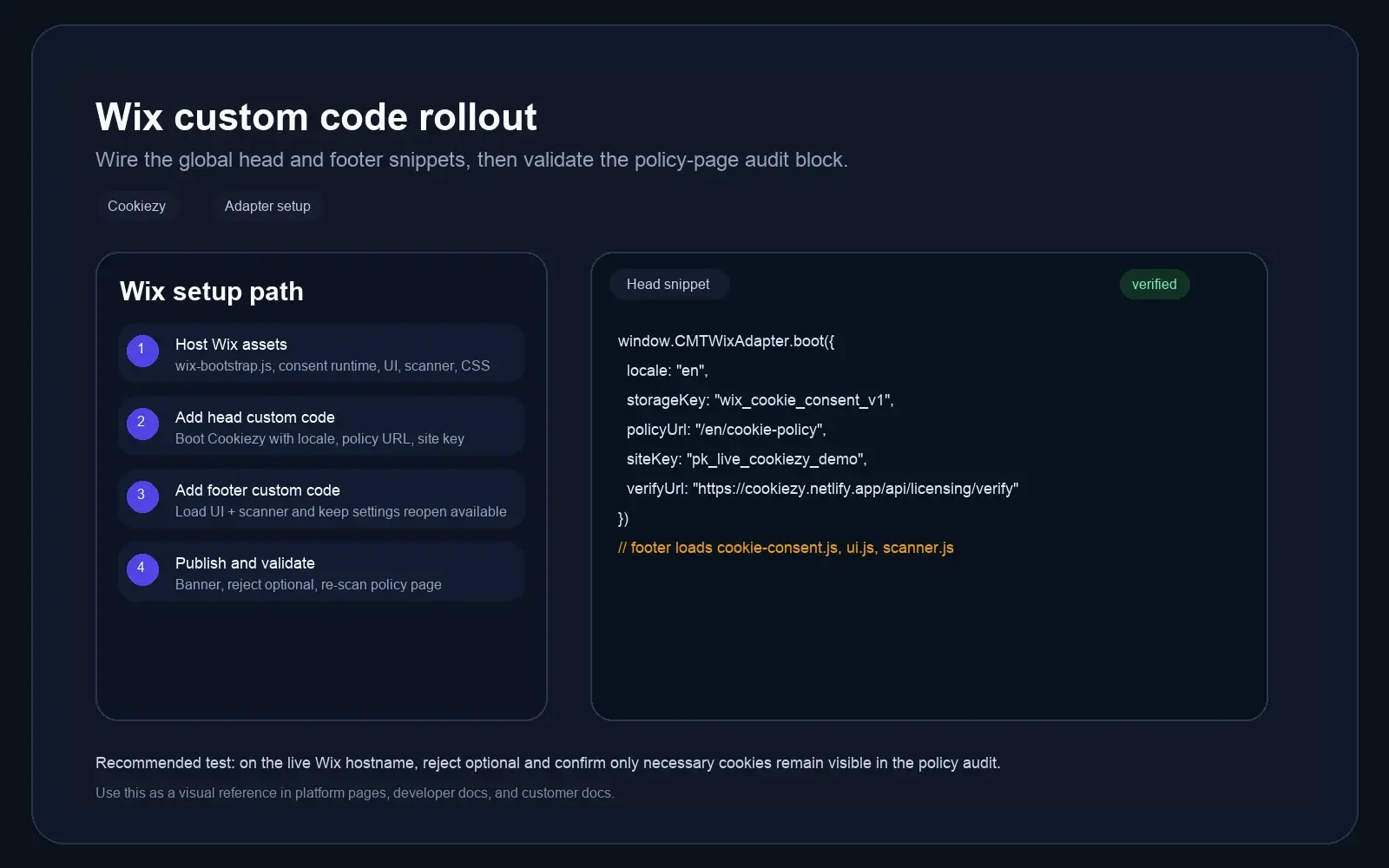
What a successful Wix rollout actually produces
The Wix lane now has concrete success states inside the app, not just generic setup copy. A healthy install shows the same readiness checkpoints we used during the real pilot pass.
- • Cookiezy Overview resolves the Wix `instanceId`, `siteId`, linked account email, and live hostname.
- • Readiness moves through exact dashboard labels: `Cookiezy account linked`, `Billing is active or trialing`, `Site key is present`, `Hostname is registered`, and `Runtime publish confirmed`.
- • Cookiezy Settings stores the app-hosted runtime base URL and generated runtime snippet for the current Wix install.
- • The app-hosted runtime ships the real consent assets: `cookie-consent.js`, `cookie-consent-ui.js`, `cookie-consent-scanner.js`, `cookie-consent.css`, and `cookiezy-wix-adapter.js`.
Install the Wix app and connect the right Cookiezy account
Start with the private or unlisted Wix app install link. In `Cookiezy Overview`, enter the billing email and live hostname so the app can resolve the correct Cookiezy account, site key, verification URL, and billing URL.
- • Activate the explicit 14-day Trial or complete paid billing in Cookiezy.
- • Register the exact live Wix hostname in billing.
- • Confirm `Cookiezy account linked`, `Site key is present`, and `Hostname is registered` all show `Ready`.
Publish the app-hosted runtime from Cookiezy Settings
Open `Cookiezy Settings`, use the current app-hosted runtime URL, save the settings, then publish the runtime on the Wix site. The app hosts the shared consent assets itself, so the merchant should not need to paste global snippets into Wix Custom Code.
Code snippet
App-hosted runtime base URL
http://localhost:4321/runtime/wix

Production flow
1. Use current app-hosted runtime URL
2. Save settings
3. Publish runtime on Wix siteOpen the live Wix site and validate the visitor-facing flow
After publish, validate the visitor-facing consent flow on the real Wix site or preview surface that the app controls.
- • Confirm the banner appears on first page load.
- • Reject optional categories and verify optional scripts remain blocked.
- • Reopen the settings UI after the first choice.
- • Open the cookie policy page and confirm the audit block renders.
- • If billing is inactive or the hostname is not registered, the runtime should fall back to necessary-only restricted mode.
A practical Wix go-live sequence
A real Wix pilot now ends with concrete app outputs instead of a manual Custom Code handoff.
Code snippet
1. Install the private or unlisted Cookiezy Wix app from the install link.
2. In Cookiezy Overview link the billing email and live hostname.
3. Wait for `Site key is present` and `Hostname is registered` to show `Ready`.
4. In Cookiezy Settings use the current app-hosted runtime URL, save, and publish.
5. Reopen the live site in a clean session and confirm the banner and policy-page audit both render.
What to test before you call the Wix rollout done
Use the same checks on every new Wix site so the rollout stays reproducible.
- • First visit banner appears without using Wix Custom Code as the primary install path.
- • Reject optional keeps analytics and marketing blocked.
- • Accept all unlocks the optional categories you actually configured.
- • The footer or policy-page settings entry reopens the consent UI after the first choice.
- • The cookie policy page shows the audit block and updates after a re-scan.
Show a live cookie scan inside the Wix policy page
The Wix app-hosted runtime can still render Cookiezy's audit view on the cookie policy page. The scan shows cookies visible in the current browser session, then lets users re-scan after changing their consent choices.
Live cookie scan for this browser session
This audit reads the cookies currently visible on the domain in your browser and maps known cookies to categories and purposes. Re-scan after changing consent to verify what stays active.
How Cookiezy handles cookies on this site
Necessary cookies stay active so the site, login flow, and consent preferences keep working. Optional categories can be enabled or disabled by the visitor through Cookiezy settings.
This scan reflects the current browser session and the current state of consent on this device.
Cookie categories used on the site
Necessary
Required for security, routing, authentication, and storing the consent choice itself.
Analytics
Used to understand traffic and site usage when the visitor has granted analytics consent.
Marketing
Reserved for advertising, retargeting, and campaign tracking when marketing consent is granted.
Built for a cleaner Wix rollout
A better fit for teams that want a real app workflow instead of a manual snippet handoff.
No-custom-code primary flow
The intended merchant path is the Wix app itself, not a manual Custom Code install.
App-hosted runtime
Cookiezy Settings can point the site to runtime assets hosted by the Wix app.
Consent-gated optional scripts
Optional analytics and marketing remain blocked until the visitor actively opts in.
Policy page audit
Use the policy page audit and settings re-open flow to support a clearer compliance experience.
Wix cookie consent FAQ
Helpful answers for teams considering Cookiezy on Wix.
Do Wix merchants need to edit Custom Code manually?
The primary merchant flow should not require it. Cookiezy now prefers the private or unlisted Wix app lane for runtime publishing. Platform Core custom-code files are kept only as a fallback path.
What should I do before publishing the runtime?
Make sure the correct Cookiezy account is linked, billing is active or trialing, the site key is present, and the live Wix hostname is registered.
How do I show the cookie audit on the policy page?
The app-hosted runtime can render the audit block on the cookie policy page after the runtime is published on the site.
Can visitors change their choice later?
Yes. Cookiezy supports reopening consent settings from a persistent UI entry such as the footer or policy page link.
What happens if billing is inactive or the site domain is not registered?
The Wix runtime should fall back to necessary-only restricted mode. Optional analytics, marketing, and premium runtime behavior stay blocked until billing is restored and the hostname is allowed.
How this adapter is delivered today
This page shows the current delivery lane for the adapter and separates the live channel from planned standalone or marketplace lanes.